
Just the two of you
Dates, little adventures, and weekends away. Keep the photos you both take in one private, shared album.
Free photo sharing app for iPhone & Android
Share photos and videos with your partner or friends. Create an album, invite them, and keep your shared moments in one place.
Free to download and use. Everyone who joins an album needs a free account.


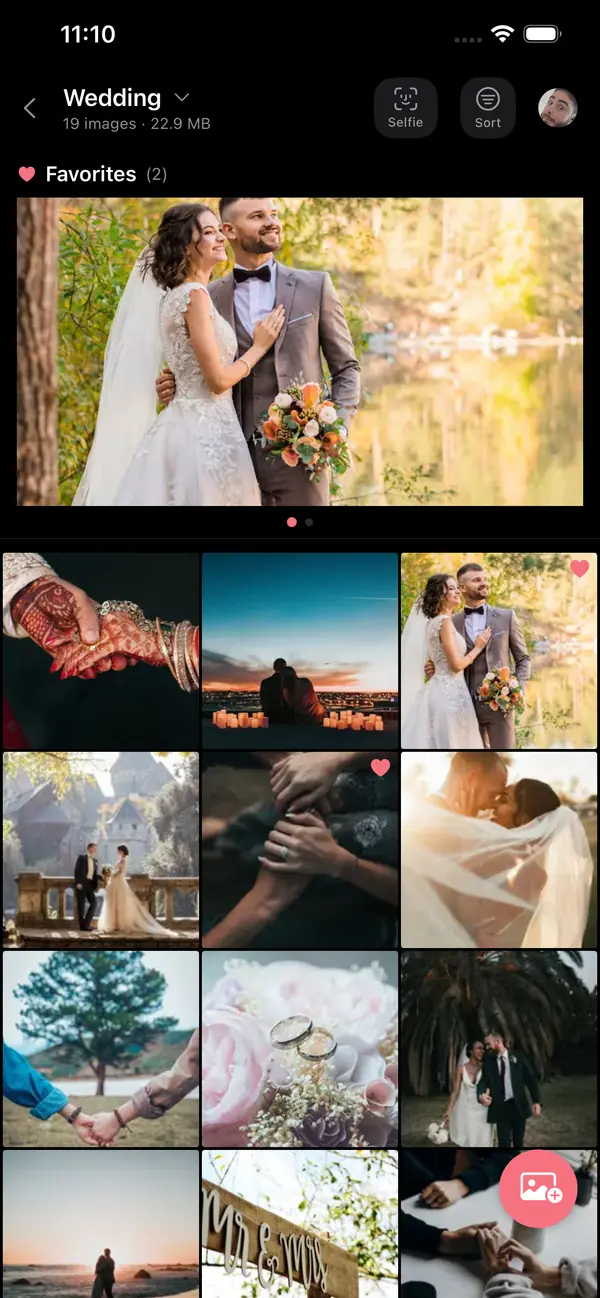
Real app screen with a sample album
Choose a name for your trip, weekend, or special day.
Invite them with a QR code, an invite link, or their username.
Everyone adds their photos and videos to the same album.
To join an album and add photos, you need the free Piclolo app and a free account.
A private album for the two of you, or one shared album for friends and family. Everyone’s photos end up in one place.
Dates, little adventures, and weekends away. Keep the photos you both take in one private, shared album.

Different phones. Different views. Bring everyone’s trip photos together, from iPhone and Android.

Share a QR code and collect the moments your friends capture.

Collect photos from your guests. They scan a QR code and add them to your album.
No more sending photos back and forth. Everyone’s photos land in one shared album.
Everyone adds to one album. Piclolo uploads the original files, so your photos don’t lose quality.
Share a QR code or an invite link, or find people by their username.
Take a selfie, and face recognition finds the photos you appear in. It’s optional, and you can clear it anytime.
Tap the heart to keep the best shots at the top. Save photos and videos to your phone.
Pick photos and videos from your gallery in the app. On Android, you can also share them straight to Piclolo.
As the album owner, decide whether members can upload, download, invite others, or take screenshots.
Also in the app
Pricing
Free
Piclolo is free to use right now. No ads, no subscription.
If we ever add paid features, we’ll tell you in advance. You won’t be charged without your consent.
Made by Parklolo UG in Hamburg, Germany.
Sign up with email or Google, or with Apple on iPhone.
As the owner, you can remove people from your album at any time.
Your selfie is only used to find your photos and isn’t stored permanently.
Your data is encrypted in transit. Read the details in our Privacy Policy.
Yes. Piclolo is free to use right now, with no ads and no subscription. If we ever add paid features, we’ll tell you in advance, and you won’t be charged without your consent.
Create a free shared album in Piclolo and share its QR code or invite link. Everyone joins with a free account and adds their photos and videos to the same album, uploaded as original files.
Yes. Everyone who joins an album needs a free Piclolo account. You can sign up with email or Google, or with Apple on iPhone.
Yes. Joining an album and adding photos happens in the free Piclolo app. If someone opens your invite link on a phone without the app, they’ll see a button to get it from the App Store or Google Play.
Yes. Piclolo works on both, so iPhone and Android users can add to the same album. Get it on the App Store for iPhone or on Google Play for Android. The app is available in 11 languages: English, Arabic, French, German, Hebrew, Italian, Portuguese, Russian, Spanish, Swedish, and Ukrainian.
Yes. You can add photos and videos to the same album. Piclolo uploads the original files from your phone, so they don’t lose quality. There’s a maximum size per file, and the app shows it when you upload.
Only the people in that album. Anyone with the album’s QR code or invite link can join, so share them only with people you want there. As the owner, you can remove members at any time and decide whether members can upload, download, invite others, or take screenshots.
Open an album and tap Selfie. Take a quick selfie, and Piclolo uses face recognition to show the photos in that album that match your face. It’s optional, you can clear the filter anytime, and your selfie isn’t stored permanently. Our Privacy Policy explains how face matching works.
No. Piclolo doesn’t upload anything automatically, on iPhone or on Android. You choose which photos and videos to add.
Create an album for your wedding and share its QR code, for example on your table cards. Guests scan it, sign up for free in the app, and add their photos to the same album.

Get Piclolo free on iPhone and Android, then invite anyone: your partner, friends, or family.